
RESTAURANT COSTING & PURCHASING SOFTWARE
Your costs in view. Your next task already prepared.
What does a serving cost? Where is stock being lost? What needs ordering tomorrow? GastroPilot gives you the picture and prepares the work. Set up your operation once.
Keep your existing POS.GastroPilot uses your POS export. No replacement, no system switch.
01
Costing & profitability
See what each dish costs and what remains after food cost. Add labour, rent and other costs to understand how your operation performs overall.
Explore in detail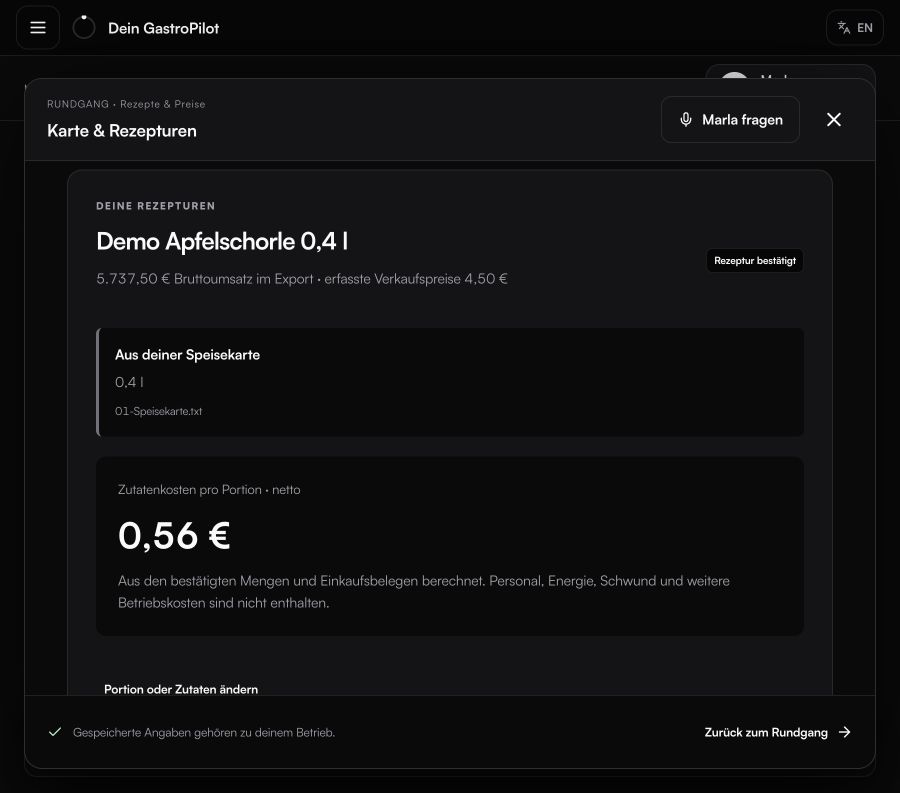
02
Stock, waste & checks
Keep track of stock and see losses in quantities and money. When an item runs short unexpectedly, check that item instead of counting the whole store.
Explore in detailWHAT YOU GET IN DAILY WORK
Spot losses. Check the right items. Find the cause.
03
Sales, prep & purchasing
Your kitchen gets prep quantities and purchasing gets an order draft by supplier, aligned with your plan, stock and delivery days. You review it and place the order.
Explore in detailWHAT YOU GET IN DAILY WORK
Prep planned. Purchasing organised. Order on time.
04
Your own tools
An event proposal, a quantity calculator or your own checklist: describe the work you want taken off your plate. Build a helper with GastroPilot and reopen it from your own button.
Explore in detail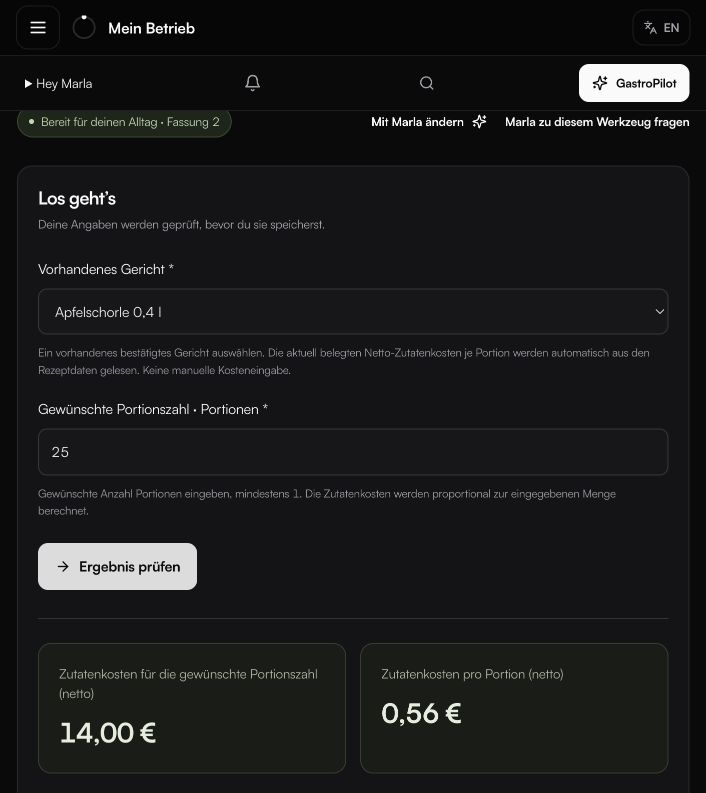
LESS SEARCHING. LESS REPEATED ENTRY.
One detail. More work taken care of.
Invoices and delivery notes have one shared inbox. GastroPilot reminds you about missing documents. Reuse details already saved. Add a missing operating figure once, then continue your task.
Explore setupQUICK ANSWERS
Common questions from daily operations.
Does GastroPilot replace my POS?
No. GastroPilot works with exports from your existing POS, so you keep taking payments as usual.
Which tasks does GastroPilot connect?
Recipe costing, food cost, inventory, spot checks, order planning and custom tools use the same confirmed operating data.
What do I need to get started?
Your menu, recipes, prices and confirmed opening stock. Purchasing documents, POS exports, deliveries and waste then keep the data current.
YOUR NEXT STEP
See what becomes possible in your operation.
We’ll show you GastroPilot through real workflows and discuss how to get started.
Book a demo