
Understand the cost of every serving.
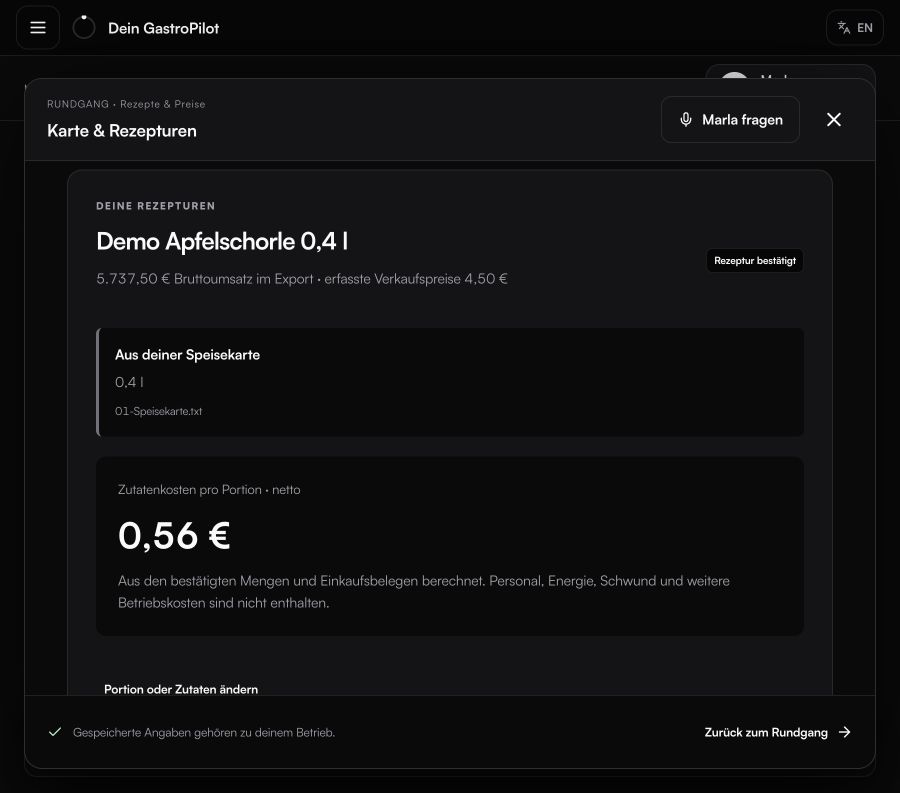
See the ingredient cost of every serving and what remains from its selling price. Identify dishes where pricing, portion size or purchasing could improve your margin.
Set up once
Your menu and selling prices, ingredients and quantities per serving, and current purchasing records. GastroPilot uses these details for your next tasks too. We guide you through setup.
Make pricing decisions with a clear view
See selling price, ingredient cost and food-cost ratio side by side for each dish. Know which dishes meet your target and where to take a closer look.
What remains after food cost
A dish costs €3 in ingredients and sells for €10 net. Its food-cost ratio is 30%. The remaining €7 is available for labour, rent, other costs and your profit.
Operating profitability
Enter labour, rent and other operating costs once in the profitability calculator. Compare scenarios and see what changing costs or sales would mean for your operation.
Keep your costing current
When purchase prices or portions change, your next costing shows the impact. Missing invoices remain visible as open tasks. Know which prices are available and which documents are still needed.
EXPLORE MORE
Everything works together.
QUICK ANSWERS
Common questions from daily operations.
How do I calculate ingredient cost per serving?
Add the proportional net purchase cost of every ingredient in a recipe and divide by the number of servings. GastroPilot applies the stored pack sizes and units.
What is the difference between recipe cost and actual food cost?
Recipe cost is the planned ingredient value of a serving. Actual food cost compares the goods used in a period with net sales. Comparing both reveals variances.
Can GastroPilot work with my current POS?
Yes. GastroPilot works independently with exports from your existing POS, so you can keep your current checkout process.
YOUR NEXT STEP
See what becomes possible in your operation.
We’ll show you GastroPilot through real workflows and discuss how to get started.
Book a demo