Know your food cost.
See what each serving costs and where usage exceeds the plan. Know where a closer look is worthwhile.
See how gastropilotBook a demo ↗
RESTAURANT COSTING, INVENTORY & PURCHASING
GastroPilot connects your menu, prices and sales. For clear food costs, the next order and custom tools that take work off your plate.
Keep your existing POS.No replacement. No system switch.
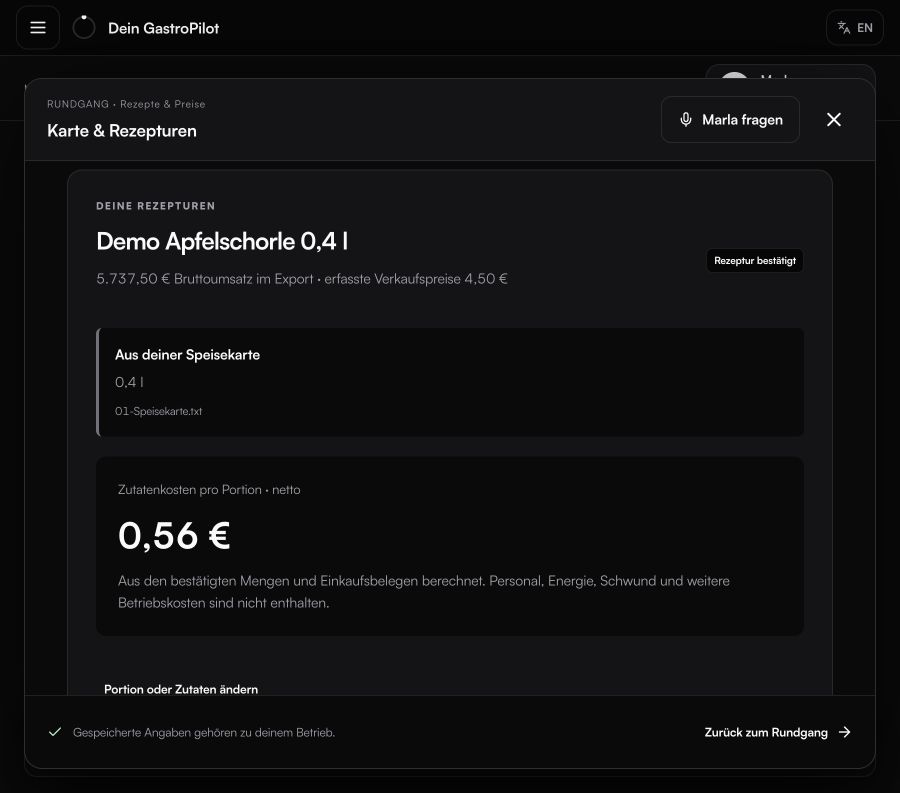
Every serving. Clearly costed.
MEET MARLA
Ask about your figures. Plan your purchasing. Build your own tool. Marla uses what GastroPilot knows about your operation and asks for the specific details still missing.
Your idea. Your own button.WHAT IT TAKES OFF YOUR PLATE
See what each serving costs and where usage exceeds the plan. Know where a closer look is worthwhile.
See howYour kitchen gets prep quantities and purchasing gets an order draft, ready for your review.
See howA calculator, a list, an event proposal: build the helper you need and reopen it with one click.
See howONE SHARED FOUNDATION
Menu, recipes, prices and opening stock. We help you get started.
POS exports, deliveries and waste keep your operation up to date.
Fill the gaps, investigate discrepancies and refine your workflows.
GOOD TO KNOW
No. GastroPilot works with exports from your existing POS, independently of the manufacturer. For German POS systems, we use the standard DSFinV-K export. We help you prepare it. You keep taking payments as usual.
Confirm opening stock once. Calculated stock then carries forward. Spot-check individual items when something looks unusual.
GastroPilot connects your menu, figures and workflows. We establish the foundation together; custom helpers adapt the work further to your operation.
Book a demo. We show you the workflows, then discuss scope, setup and terms for your operation.
YOUR NEXT STEP
We’ll show you GastroPilot through real workflows and discuss how to get started.
Book a demo