
Know what to prepare. Order what you need on time.
Get preparation quantities for the kitchen and an order draft for each supplier. Plan the next delivery around your needs and see what is missing in time to act.
Set it up for your purchasing routine
Enter suppliers, order deadlines and delivery days once. Your menu, sales and stock complete the picture. Include special days and events in your plan.
Prep for the days ahead
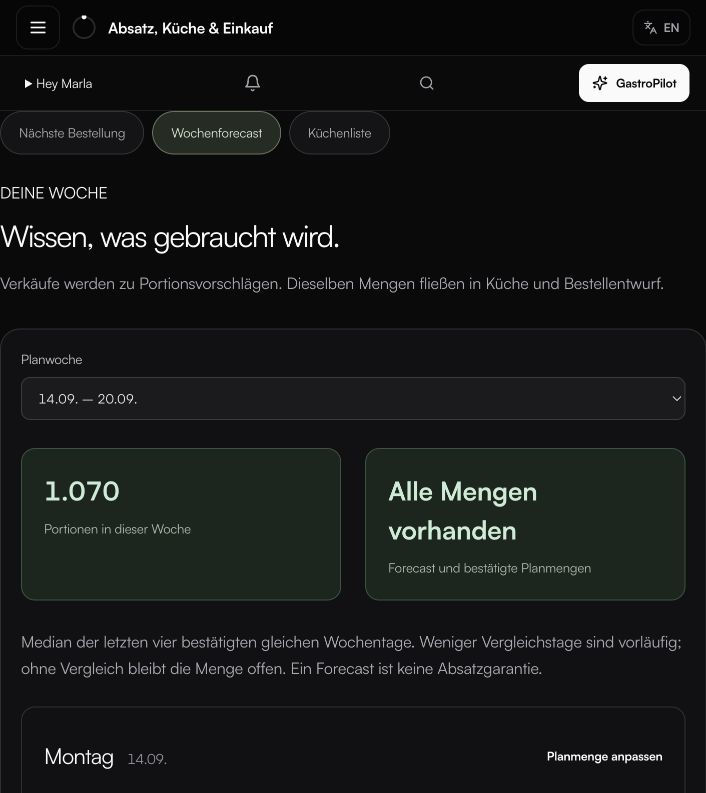
The kitchen sees the quantities planned for your chosen period. Review the plan and account for special occasions before preparation starts.
Your purchasing is already organised
See suggested items and quantities by supplier, with the deadline for placing your order. Available stock and confirmed incoming deliveries are taken into account.
A proposal you can work with
Example: you still need 5 kg of an ingredient for the planned week. Your supplier delivers 2-kg packs. The order draft shows 3 packs, totalling 6 kg, ready for your review.
Review. Order. Get on with work.
You decide what gets ordered. Your purchasing list is ready, organised by supplier. Record received deliveries so the next plan starts from an up-to-date position.
EXPLORE MORE
Everything works together.
QUICK ANSWERS
Common questions from daily operations.
How is an order draft created?
Expected sales are translated into ingredient quantities through recipes. Stock, suppliers, order days and delivery days determine what is needed and when.
Does GastroPilot place orders automatically?
No. GastroPilot prepares a draft for each supplier. You review quantities and timing before placing the order yourself.
Does the plan also help the kitchen?
Yes. The same sales plan produces preparation quantities for the coming days, so kitchen and purchasing work from one foundation.
YOUR NEXT STEP
See what becomes possible in your operation.
We’ll show you GastroPilot through real workflows and discuss how to get started.
Book a demo